Daily notes · Ongoing
Folio
A notes app with a page for each day.
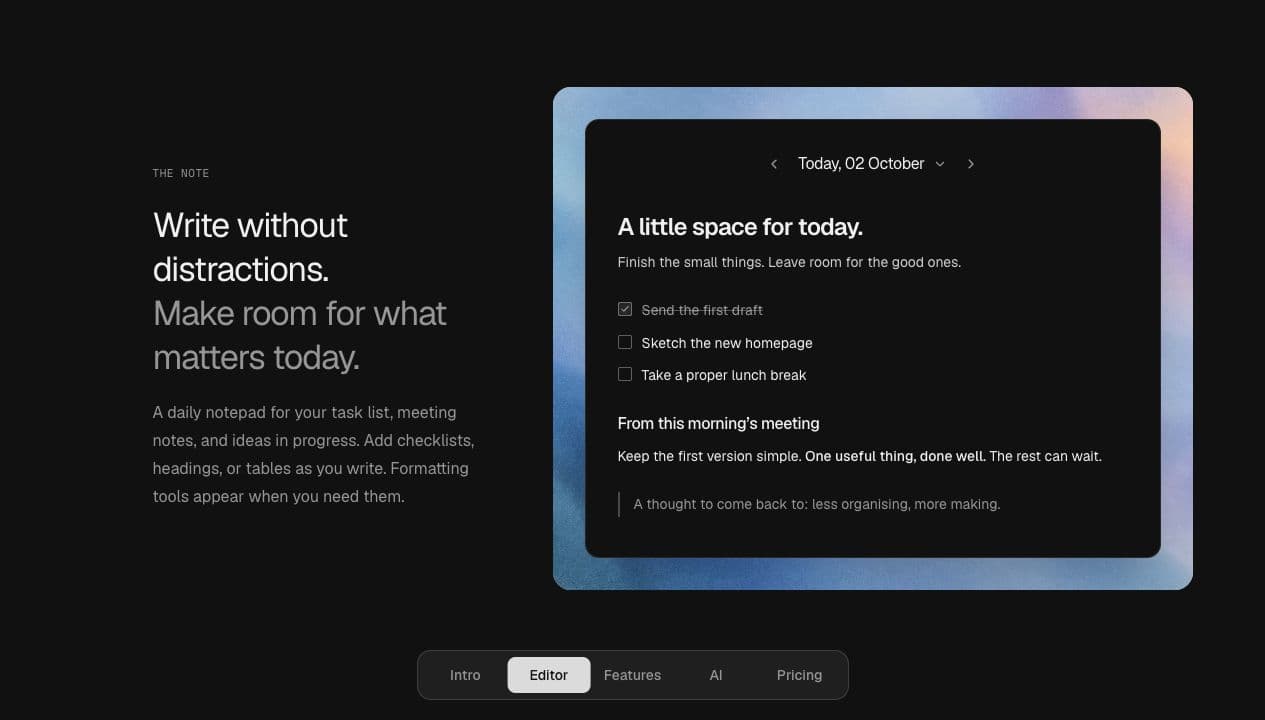
There are plenty of notes apps. I've used Notion and Apple Notes, but neither really fit the way I use notes.
Notion has way too much stuff for what I need. With Apple Notes, I'd create a note for something I had to do that day, give it a title, do the tasks, cross them off, and then never open it again. It was just a note for that day, but there it stayed.
Most of the time I ended up grabbing a sheet of paper, writing my stuff on it, crossing things off, and throwing it away at the end of the day. That worked better for me. So I built Folio around that.
A page for the day
You open it and today's note is already there. Write down your tasks, add something from a meeting, leave yourself a reminder...whatever you need that day. Tomorrow you get another page. You can still go back through the calendar if you need something from a previous day.
I used Laravel, React and Inertia, with Tiptap for the editor. You can add checklists, tables and collapsible sections, and it saves as you write.
Then I added Pages
Later on, I realized I also use notes for things I want to keep around. Project details, useful links, or information I know I'll need to look up again.
So I added Pages. Each page has a title and no date, and I can come back to it whenever I need it. The daily note is still where I write down what I have to do today.
API and MCP
I've also implemented an API and an MCP server, so compatible assistants and scripts can read and edit the notes.
They use the same Laravel services as the web app, with the same revision checks. The content stays as Tiptap JSON, so an assistant can edit a note and preserve its checklists, tables and other blocks.